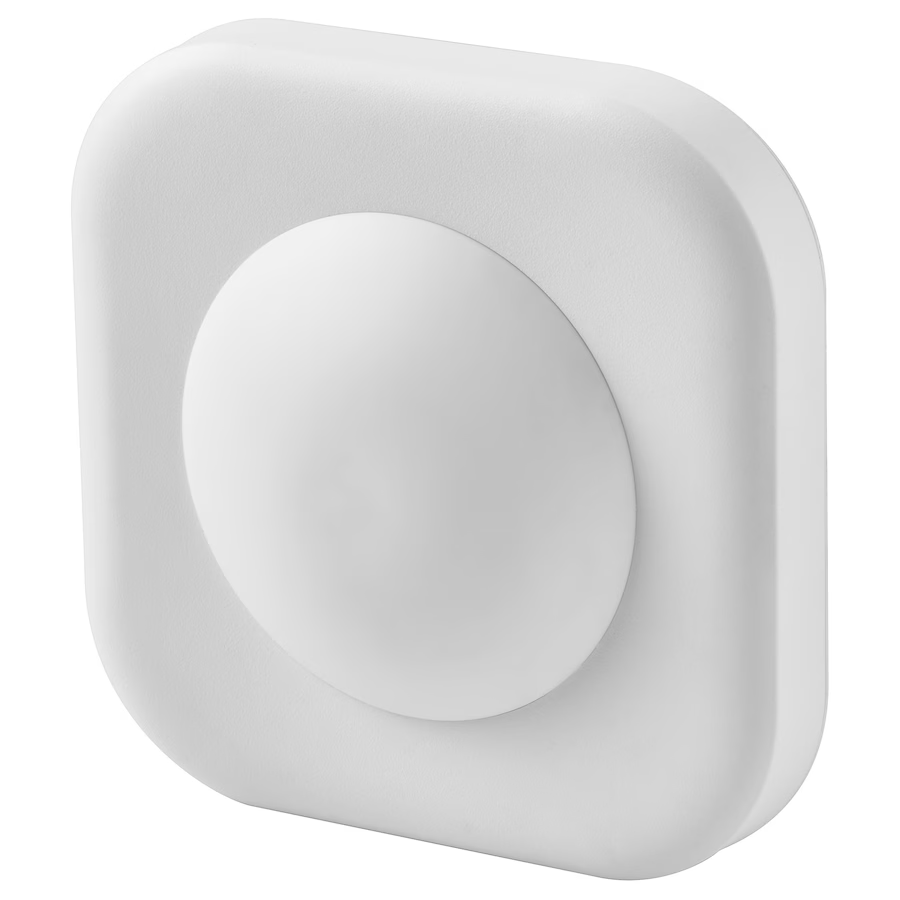
IKEA Vallhorn slow or not detecting presence/movement fix
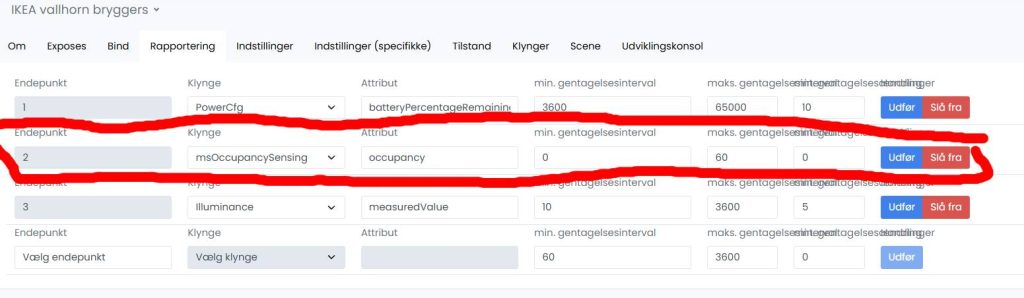
Kort fortalt skal du i Zigbee 2 Mqtt finde din Vallhorn enhed (oplever at det er fikset ved nye parringer).
gå ind under fanen “Rapportering” find Endepunkt 2 og ændre Minimums værdien til 0 i stedet for 10 (eller hvad der end måtte stå i forvejen.) jo højere tal jo højere interval før den opfanger bevægelse. står der 0 i forvejen. så ligger fejlen et andet sted. (overvej evt. IKEAs egne genopladelige batterier da de giver en lidt højere spænding end almindelige batterier.*)
*Bliver mod argumenteret her
OBS. du skal aktivere sensoren samtidig med at du ændrer værdien. (eller meget kort efter)
hvis det ikke virker eller du ikke kan ændre minimum value til 0. så prøv at fjerne med force remove of par den igen.
Original blog post
Some time ago I bought three IKEA motion sensors for my hallway and quickly noticed, that their reaction time can sometimes take up to several seconds, which is very bad. I also found, that quite some people are mentioning the same problem on the internet, but couldn’t ever find a solution to that.
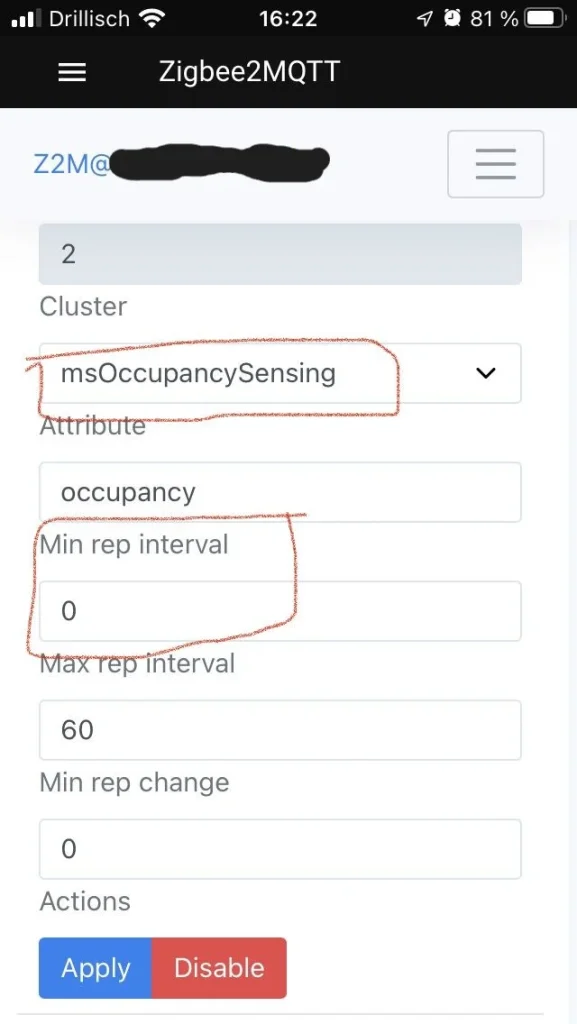
Well, now I found it and that’s why I want to share it with you. In a way it was in plain sight all the time, but I just noticed it yesterday: the standard reporting configuration for IKEA Vallhorn in zigbee2mqtt is just off! The minimum repetition interval for occupancy was set to 10 seconds! This means that the motion sensor won’t ever report occupancy faster than every 10 seconds. I just set this value to 0 (see 2nd picture) and made sure to move in front of the sensor while clicking the apply button to keep the sensor awake so that Z2M can write the new configuration to it. Since I did this, my IKEA Vallhorn Sensors work perfectly! That’s nice, because apart from the now solved problem I liked them quite a lot. They are cheap, use AAA batteries, expose illuminance and are easy to get.
EDIT: You find the msOccupancySensing attribute in the Zigbee2MQTT UI by clicking on the sensor in the device list, then clicking the “Reporting” tab and it should typically be Endpoint number 2. (thanks to u/Rxyro for pointing that out)
EDIT 2: If you are also wondering why this fixes the problem, even if the cooldown period of the motion sensor is much longer than 10 seconds, here is the reason: Since there is typically a Max rep interval set for the occupancy (60 seconds in my case) it means, that every 60 seconds the sensor reports the occupancy no matter what. Because of the 10 seconds Min rep interval it won’t report any occupancy after that for the next 10 seconds. So if you happen to walk down you hallway in that exact moment it won’t react for the next 10 seconds in the worst case.
One general advice at the end: Check the report configuration, whenever you want your devices to report instantly! I have a zigbee relais, where min rep interval was set to 1 for the on-off state. I changed it to 0 and now it reports in an instant! It’s great! 👍